I recently got into 3D printing. I picked up a Prusa Core One+ and it’s been one of those hobbies where you go from “I’ll just print one thing” to completely rearranging your desk and office to make room for more prints. I’m still very much a beginner, but that’s what makes it fun — there’s always something new to figure out, and every failed print teaches you something.
One of the first big projects I jumped into is Multiboard — a free, open-source modular organization system designed for 3D printing. Think of it like LEGO for wall-mounted storage. You print tiles, snap them together, and mount them with accessories like hooks, bins, and shelves. The community around it is fantastic, and the project has over 700 parts. I want to cover my walls with these boards eventually, but first I had to figure out how to actually print them without warping.
I originally posted this on the Multiboard community forum and figured I’d share it here too.
The Problem
I’m a complete beginner at 3D printing and was running into issues when printing stacks of 8x8 multiboard tiles.
After 6 warped runs I finally managed to successfully print a stack and I’ll share the settings that worked for me here.
Printer: Prusa Core One+
Sheet: Core ONE Smooth PEI Print Sheet (the one that’s included when you buy an assembled Core One+)
Filament: Prusament PLA Galaxy Black
Here’s a photo of one of the failed runs:
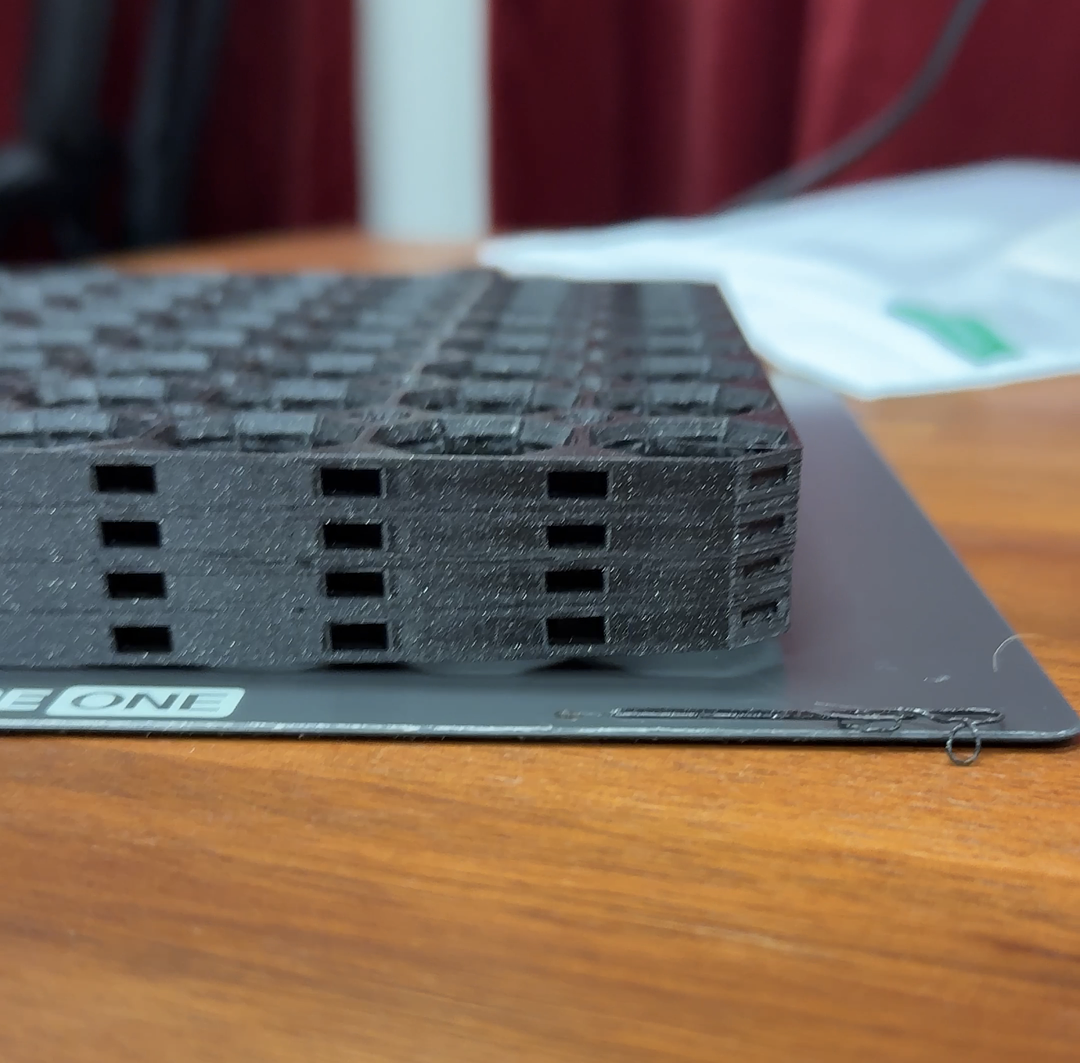
The bottom right corner of the plate came loose, this one is the closest to the door. A friend of mine mentioned similar issues with other prints caused by a slight draft of the Core One+ door.
This caused the corner of some of these tiles to be compressed. They can still be used but of course I wanted to fix this problem.
At first I was making rookie mistakes like not cleaning my sheet. Now I clean it with a cloth and isopropyl alcohol after every print.
The Settings That Worked
After more experimentation with settings I ended up with the following working settings.
First of all use the recommended settings by Multiboard:
- Perimeters: 3
- 15% infill
- Disable supports
- Ironing: enabled
- Type: Only top surfaces
Next I added the following settings:
- Turn off “elephant foot compensation”
- Enable brim
- Bed temperature — first layer: 65 C
- Bed temperature — other layers: 63 C
The Result
With these settings, my stack came out perfectly!
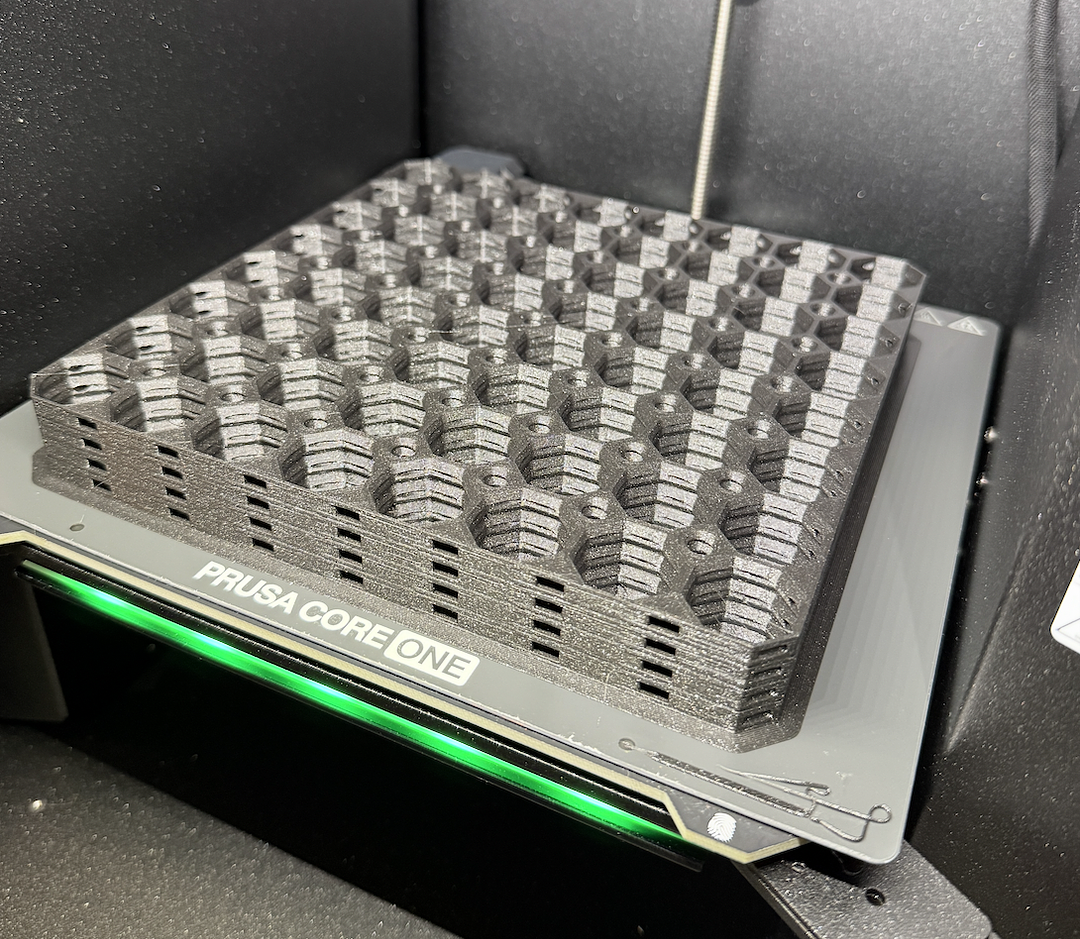

I was a bit afraid I was never going to get it right, but with some tinkering and a friend pointing me in the right direction, I managed to fix it.
I hope this will help someone. Drop a comment if it did!
Thank you for all the great work on the Multiboard project, I’m absolutely loving it and it’s a great way to learn this new hobby of 3D printing.